The Annoying Implementation of Translation in Safari ⇥ lapcatsoftware.com
The Safari web browser has a longstanding annoying misfeature: it announces “Reader Available” and “Translation Available” in the address bar, whether you like it or not, with no way I know of to stop that madness. This behavior is bad on Mac, worse on iPhone. Below is a screen recording of Safari on Mac.
Yes, and it gets worse. The worst part of this behaviour is, for me, the translation icon in Safari on MacOS. When “Translation Available” is displayed, the icon is grey and positioned on the lefthand side of the address bar, but if you click on it, you will see the website settings menu. Instead, you have to wait until the animation is complete, at which point the icon will appear on the opposite side of the address bar — still grey, though! — at which point it becomes active.

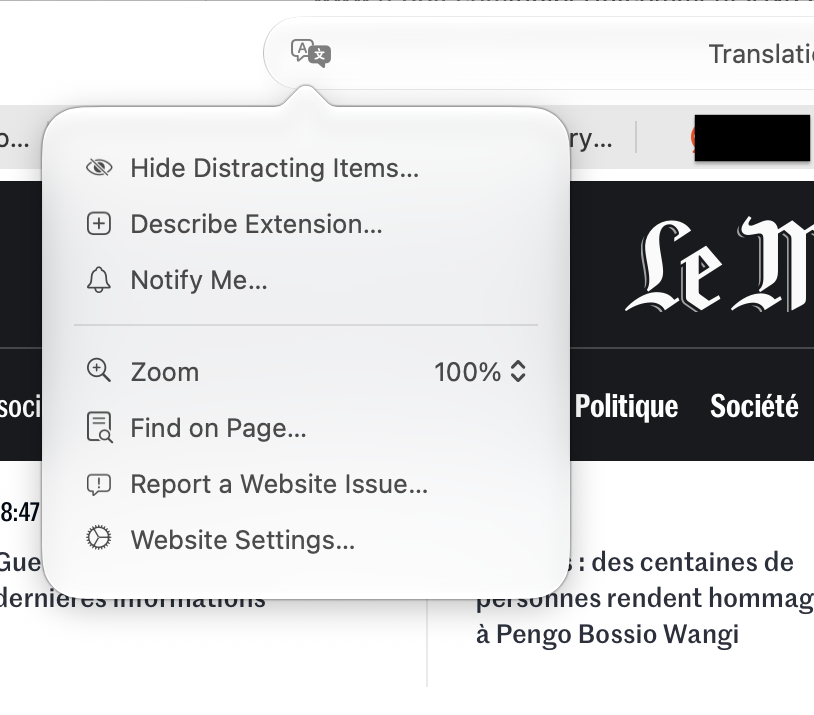

Utter madness.