Apple Removes Old iWork Apps for MacOS ⇥ 9to5mac.com
Ryan Christoffel, 9to5Mac:
Apple has just made a change to its iWork lineup on the Mac, removing the old versions of Pages, Keynote, and Numbers from the App Store and leaving just the newer builds that support Apple Creator Studio.
If the alternative is displaying two versions of each app, I think this is the correct decision, but it feels spiteful that it is difficult to find older versions even if your system is incompatible with the most recent ones.
When I search “Pages” on my iMac running the latest supported version of MacOS, which is not the most recent, the results page only shows the newest iWork apps. The individual app page has a banner at the top reading “Requires macOS 15.6 or later”, but I do not know what this means. Is my iMac compatible? I cannot remember which MacOS version it is running. If I scroll to the app details, it sure looks like it is compatible. Apple says it “Works on this iMac” and, if I click on that, it repeats the information about requiring MacOS 15.6. Yet, if I click the download button, it gives me an error and says I need to update because it is running Ventura, which is MacOS 13. But will I remember that? No, I will not.
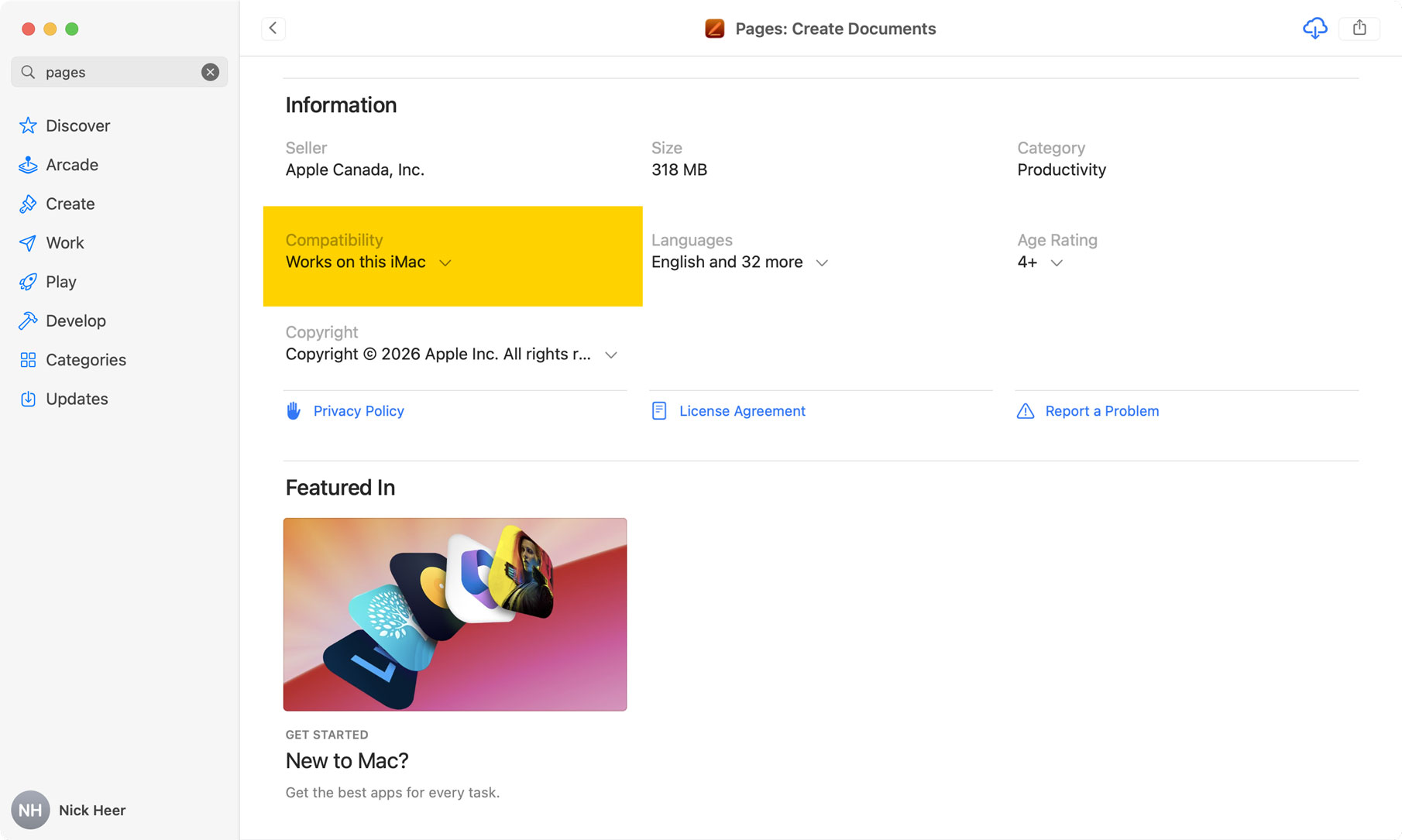
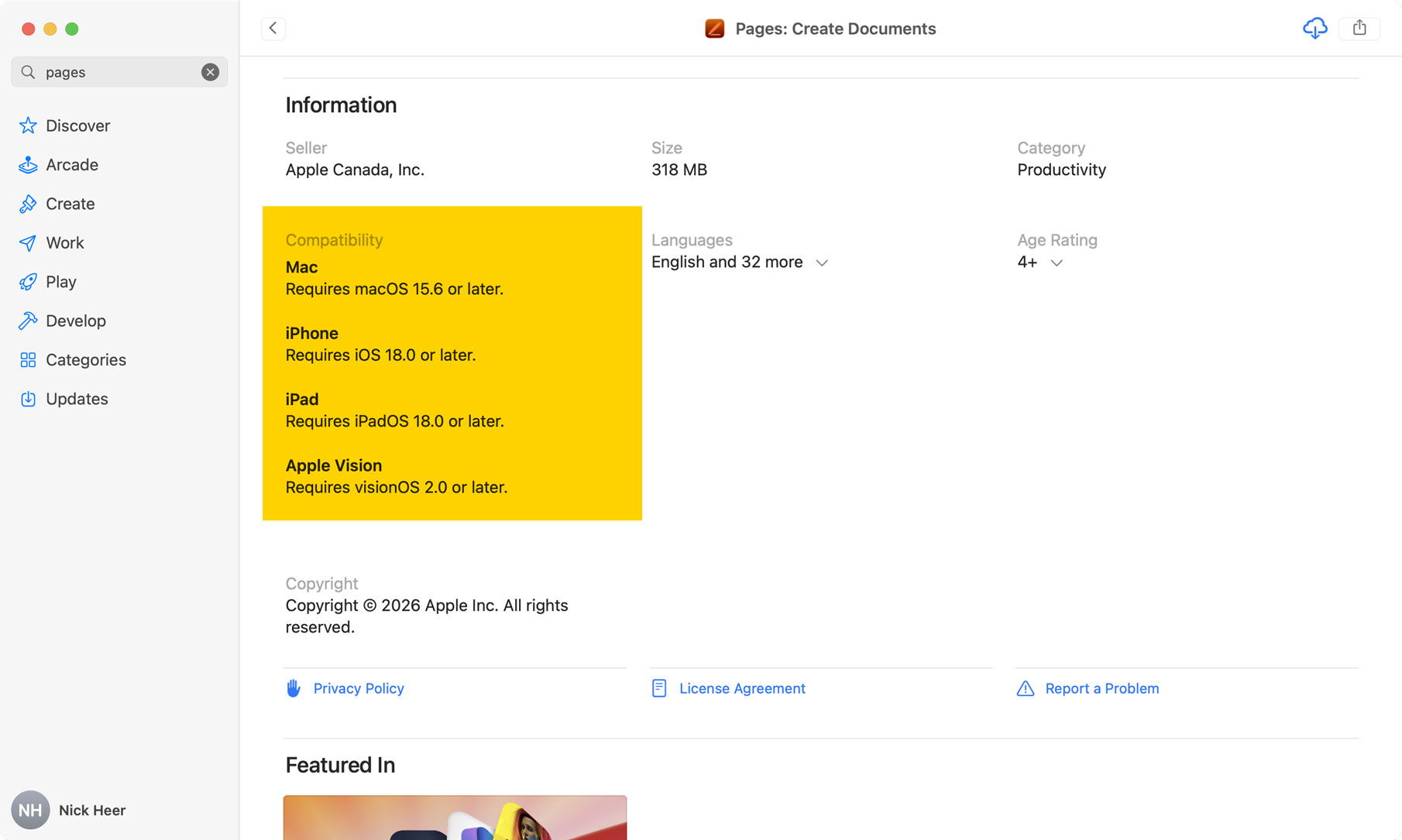
To find the version of Pages that actually does work on my iMac, I have to dig around in my purchases — which cannot be searched — and find “Pages 14.5”. It seems like Apple is doing something funny on the back-end because I also have the new Pages with the cloud download icon beside it, which I apparently bought in June 2017.
This is messy and silly. I know Apple officially stopped supporting this Mac long ago, but the least it could do is clearly show whether an app actually works on my iMac, and to prioritize search results that are actually compatible.